Send
Send a USB camera feed over SRT.
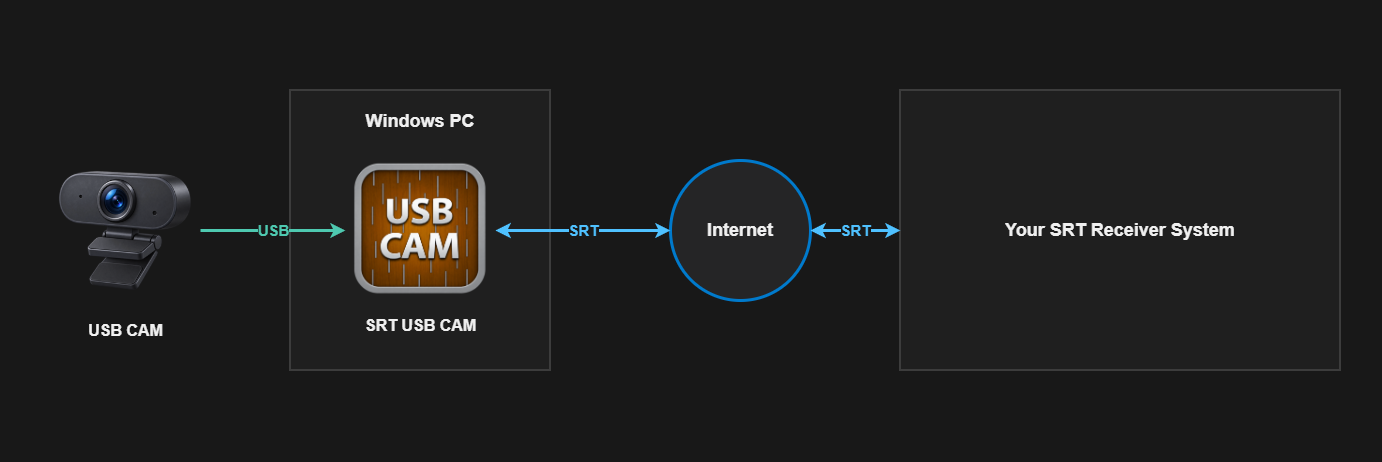
Capture a USB camera and optional audio, encode them as H.264 and AAC-LC in MPEG-TS, and send the stream to an SRT receiver.
Before you start
What you need
- A supported USB camera connected to a Windows PC.
- An optional Windows audio input when the stream needs audio.
- The receiver's SRT mode, address, UDP port, and matching encryption settings.
Signal path
Setup
Configure and verify one stage at a time.
- Start the receiving endpoint and note whether it operates as Caller or Listener.
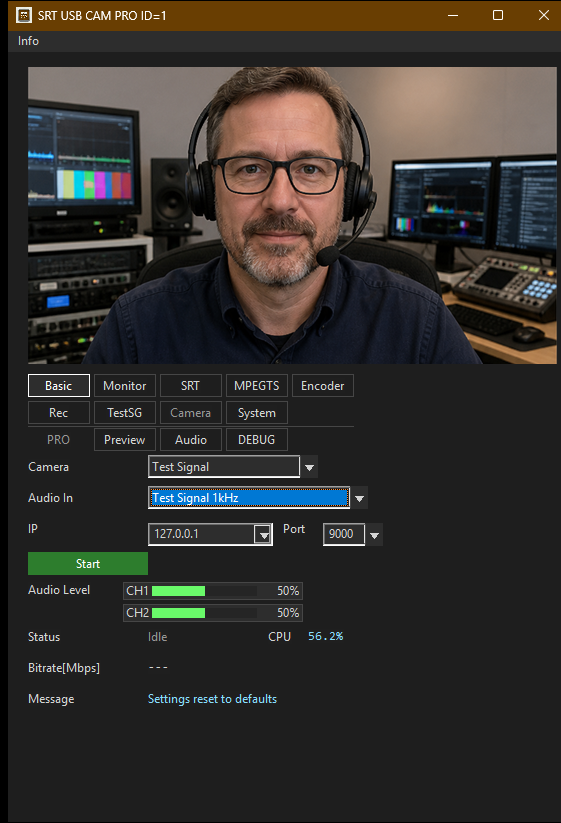
- In SRT USB CAM, select the camera, resolution, frame rate, encoder, and optional audio input.
- Choose the opposite SRT connection role. For a Listener receiver, configure SRT USB CAM as Caller and enter its address and port.
- Match the Stream ID, latency, encryption, passphrase, and AES key length required by the receiver.
- Start transmission and confirm the connection, video, audio, FPS, and bitrate before relying on the feed.
What to verify
Check the result before relying on the path.
- Capture: the selected camera format produces a stable preview and capture FPS.
- Connection: Caller and Listener roles, address, port, and encryption values match.
- Media: the receiver decodes H.264 video and optional AAC-LC audio.
- Statistics: sent FPS and bitrate remain stable and reconnect or error counts do not keep increasing.
SRT USB CAM