Receive and monitor
Monitor an incoming SRT stream.
Receive MPEG-TS over SRT and check H.264 video, AAC audio, connection state, and live transport statistics on Windows.
Before you start
What you need
- An MPEG-TS sender using H.264 video and optional AAC audio.
- A Windows PC with SRT Preview and an available UDP port.
- A Windows audio output device when audio monitoring is required.
Signal path
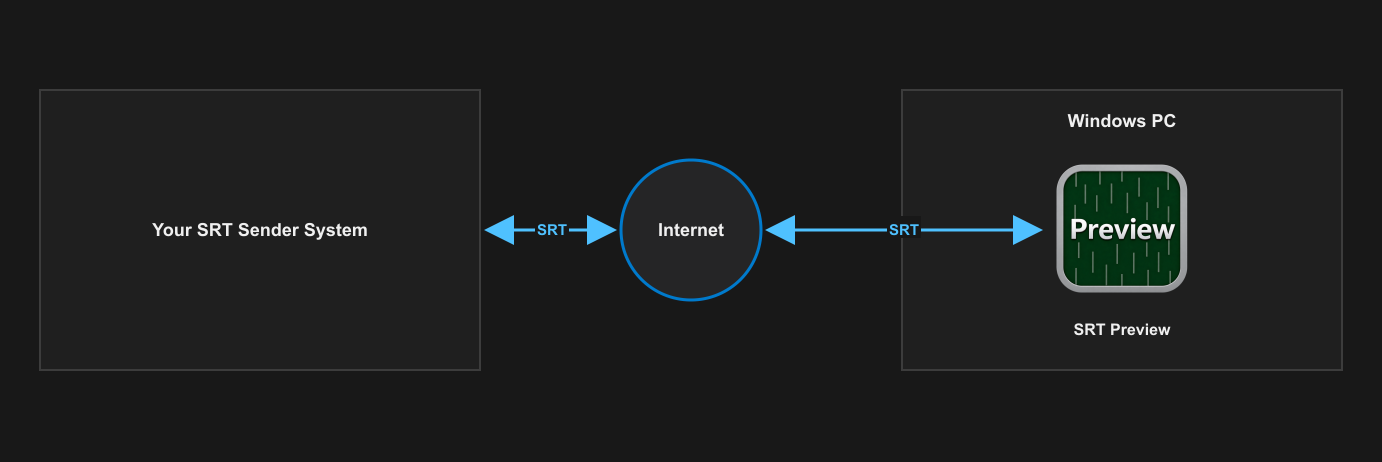
Setup
Configure and verify one stage at a time.
- Choose Caller or Listener mode in SRT Preview to match the sender's opposite role.
- Enter the destination address for Caller mode or the local receive port for Listener mode.
- Match the sender's latency, Stream ID, encryption, passphrase, and AES key length where used.
- Start reception, then start the sender and wait for the connection state to become active.
- Check the picture, audio levels, bitrate, RTT, packet counts, dropped data, resolution, and FPS.
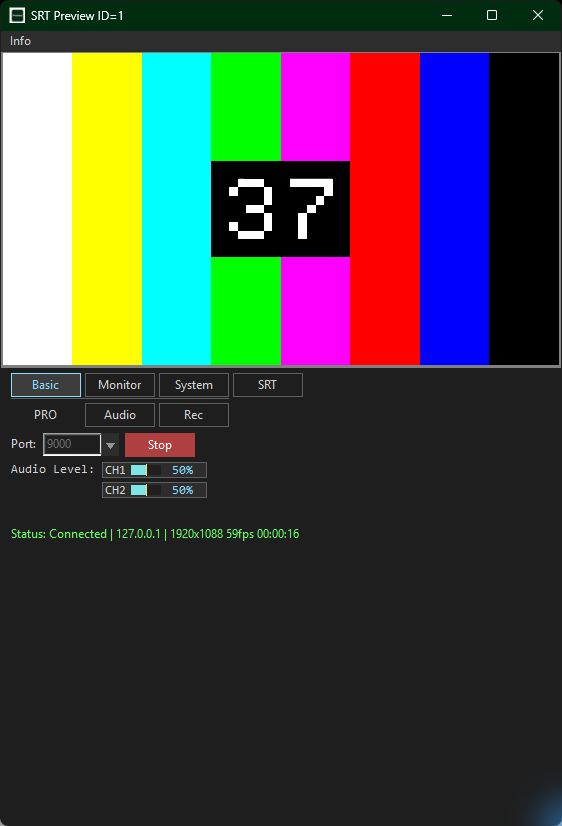
What to verify
Check the result before relying on the path.
- Connection: SRT Preview reports an active connection on the intended port.
- Video: the incoming MPEG-TS contains supported H.264 video at the expected resolution and FPS.
- Audio: AAC audio is present and plays through the intended Windows output.
- Transport: bitrate, RTT, packet counts, and dropped-data values are consistent with the expected path.
SRT Preview