Test and diagnose
Verify an SRT path with a generated test signal.
Generate a moving Color Bars or Noise pattern and send it as H.264 in MPEG-TS without preparing a camera feed.
Before you start
What you need
- SRT TEST Signal installed on a Windows PC.
- An SRT-compatible receiver such as a monitoring tool, decoder, or FFplay.
- The receiver address, UDP port, SRT mode, latency, and encryption values.
Signal path
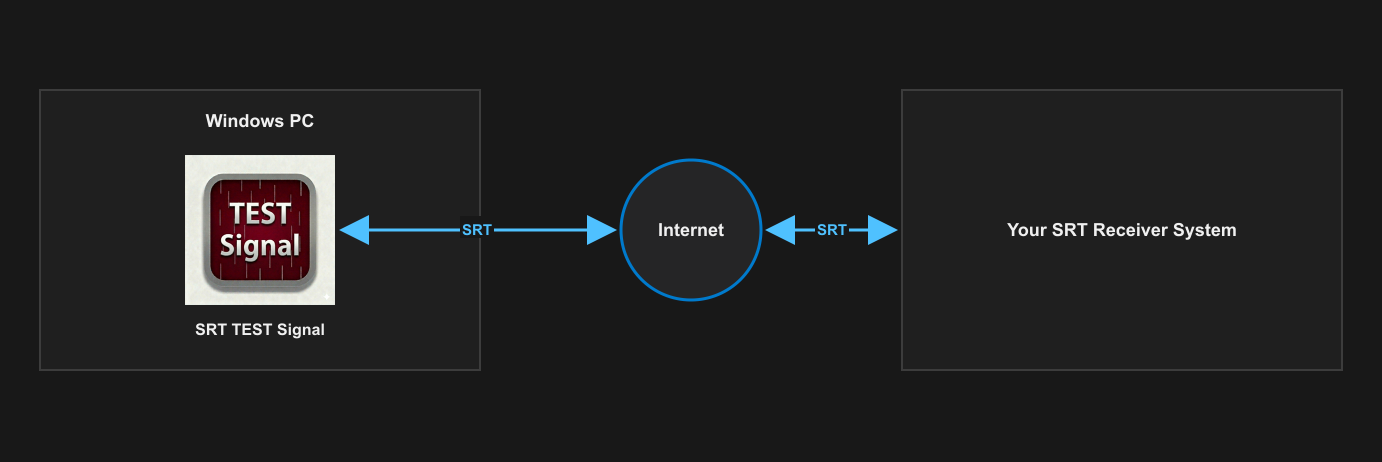
Setup
Configure and verify one stage at a time.
- Start the receiver and keep its connection state visible.
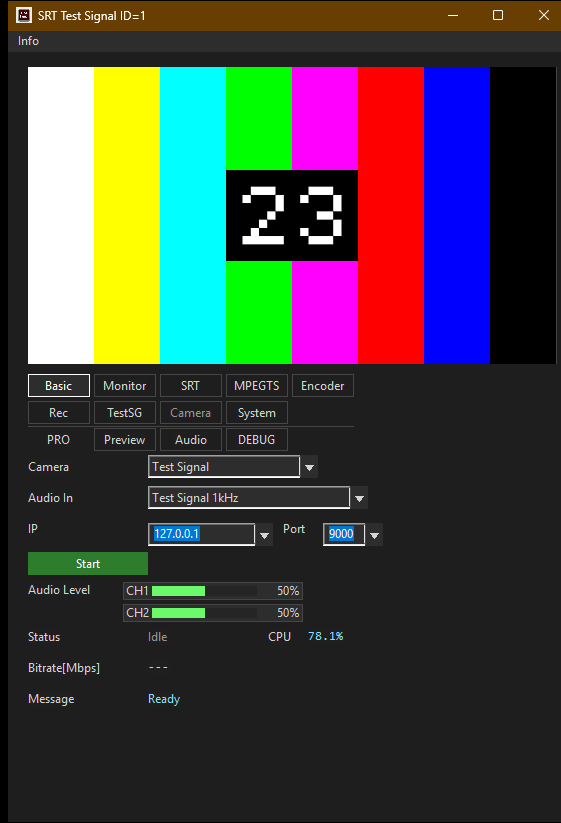
- Select Color Bars or Noise and choose 1920×1080 or 1280×720 at 30 or 60 FPS.
- Match the sending mode to the receiver's opposite SRT role and enter the address and UDP port where required.
- Apply matching latency and encryption values, then start the generated source.
- Confirm that the moving pattern arrives and record the mode, port, format, and result so the test can be repeated.
What to verify
Check the result before relying on the path.
- Connection: the receiver accepts the SRT connection and remains active.
- Motion: the pattern continues moving, distinguishing a live stream from a frozen frame.
- Format: the receiver decodes the selected H.264 resolution and frame rate.
- Scope: treat the result as a path check, not proof that every production source is configured correctly.
SRT TEST Signal