Test and diagnose
Diagnose an SRT connection before testing media.
Test Caller, Listener, or Rendezvous connectivity and measure throughput, RTT, packet loss, encryption, and firewall state without decoding media.
Before you start
What you need
- SRT Probe installed on a Windows x64 PC.
- An SRT-compatible peer reachable across the path under test.
- The connection mode, address, UDP port, target throughput, and encryption values for both endpoints.
Signal path
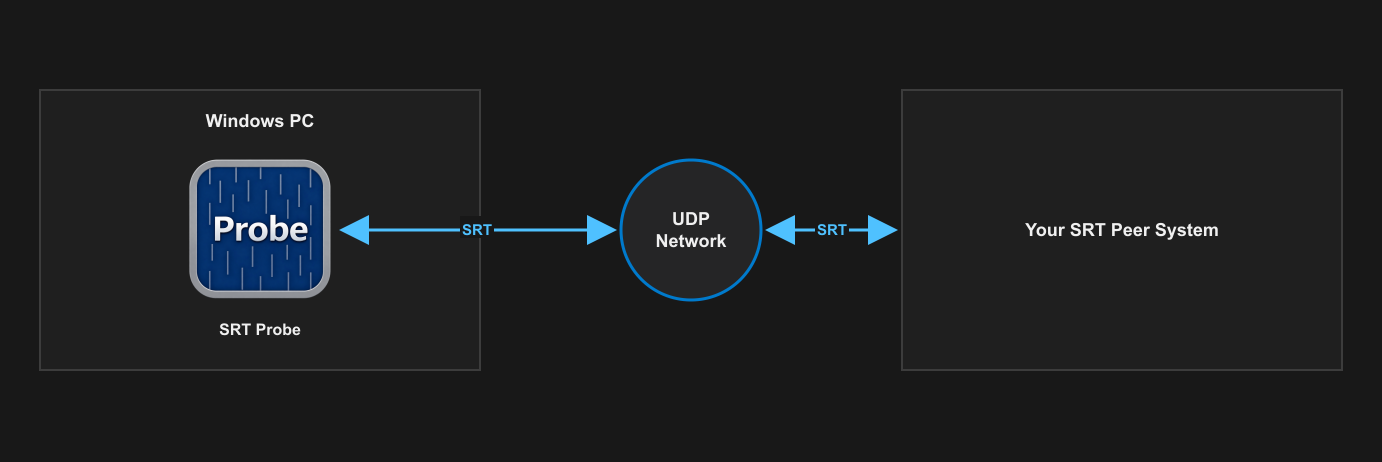
Setup
Configure and verify one stage at a time.
- Choose a sender or receiver test role and select Caller, Listener, or Rendezvous mode.
- Configure the peer address or listen address, UDP port, and target throughput for a sender test.
- Match the passphrase and AES key length at both endpoints when encryption is enabled.
- Run diagnostics and resolve mode, port, network-interface, process, or Windows Firewall differences before starting.
- Start the test, observe throughput, RTT, and packet loss, then stop and review the test summary.
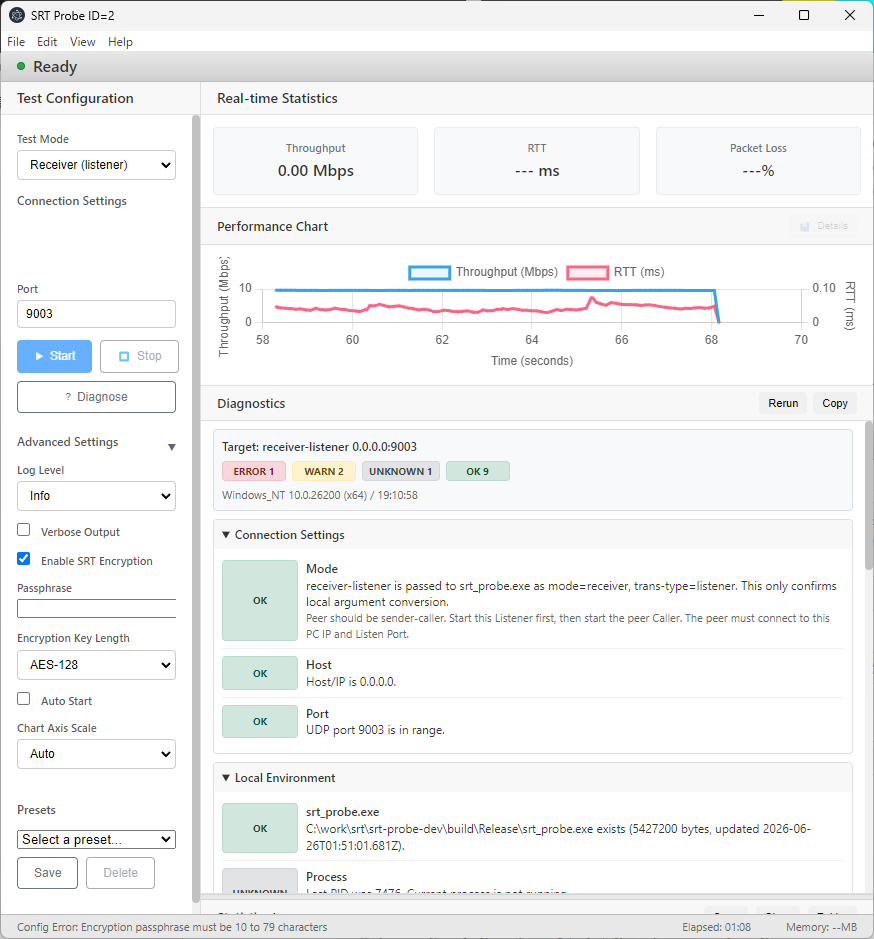
What to verify
Check the result before relying on the path.
- Roles: the two endpoints use compatible Caller, Listener, or matching Rendezvous settings.
- Firewall: the selected UDP port is allowed on the relevant Windows and network firewalls.
- Quality: measured throughput, RTT, and packet loss are suitable for the intended path.
- Encryption: passphrase and AES key length match without exposing them in screenshots or support data.
SRT Probe