Relay and redundancy
Relay one SRT input to two destinations.
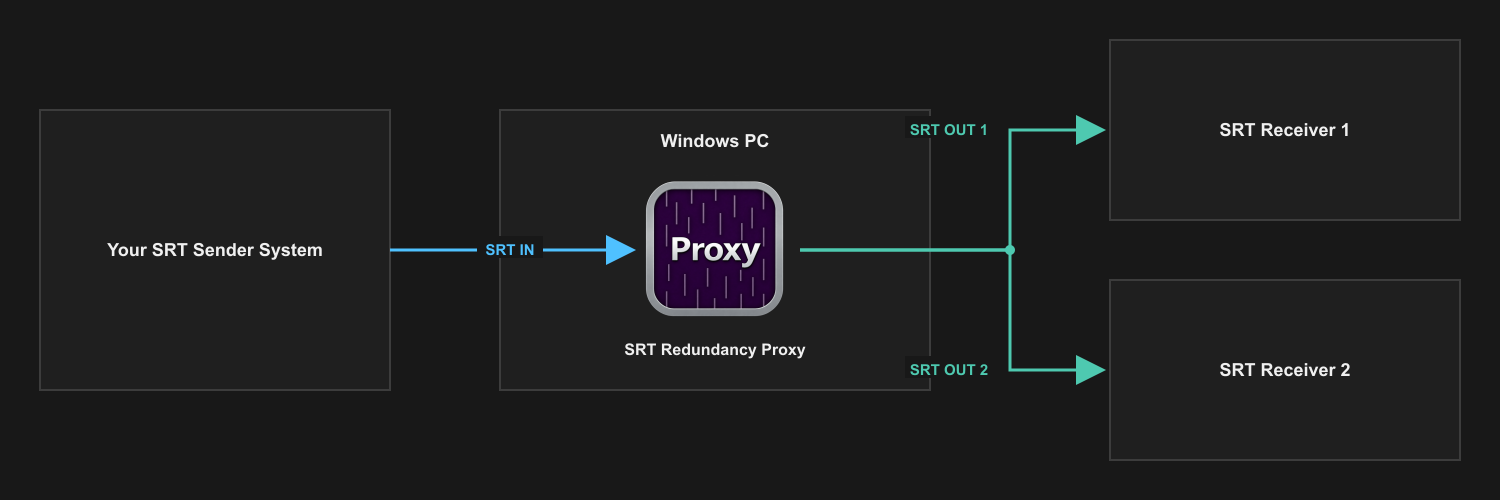
Accept one SRT Listener input and forward its payload to as many as two independently enabled SRT Caller destinations.
Before you start
What you need
- An SRT sender that can call the proxy's listener port.
- One or two SRT receivers with unique reachable addresses and ports.
- Enough outgoing network capacity for both forwarded copies.
Signal path
Setup
Configure and verify one stage at a time.
- Configure and start the two destination receivers first.
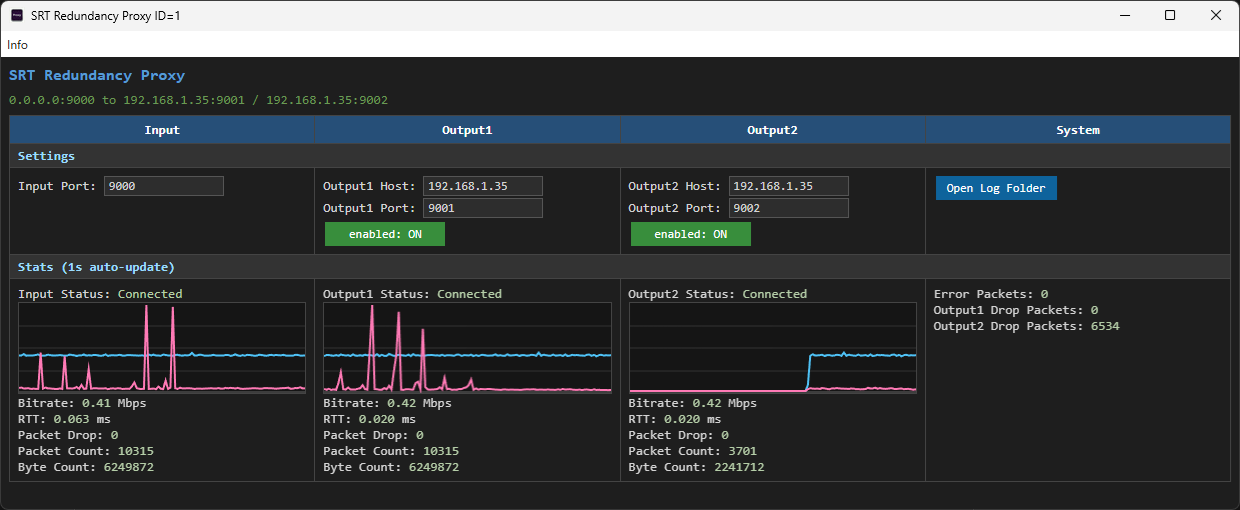
- Set the proxy input listener port, then configure each enabled output with its receiver address and port.
- Start the proxy input and send the source stream to that listener port.
- Confirm that input packets arrive before enabling or troubleshooting an output.
- Test each destination separately, then enable both and watch their connection state, bitrate, RTT, drops, and errors.
What to verify
Check the result before relying on the path.
- Input: the proxy receives packets from the sender on its configured Listener port.
- Outputs: each enabled Caller output connects to the correct destination and carries data.
- Capacity: the network can carry both outgoing copies at the source bitrate.
- Limits: a second output does not repair a failed source or a network segment shared by both paths.
SRT Redundancy Proxy